
Running a fleet means keeping dozens or even hundreds of trucks moving while staying on top of compliance requirements. When the Heavy Vehicle Use Tax (HVUT) filing season begins, paperwork can quickly become overwhelming if vehicle records are not organized. Every taxable vehicle must be reported with the correct VIN, taxable gross weight, and first-use month. Even one incorrect detail can lead to an IRS rejection and delay the filing process.
The good news is that Form 2290 Filing for Multiple Vehicles does not have to be complicated. With accurate records, pre-filing, and bulk upload features offered by IRS-authorized e-file providers like Truck2290, fleet owners can complete their annual filing more efficiently while reducing common errors.
This guide explains practical ways to simplify Form 2290 Filing for Multiple Vehicles during the 2026-27 HVUT tax year.
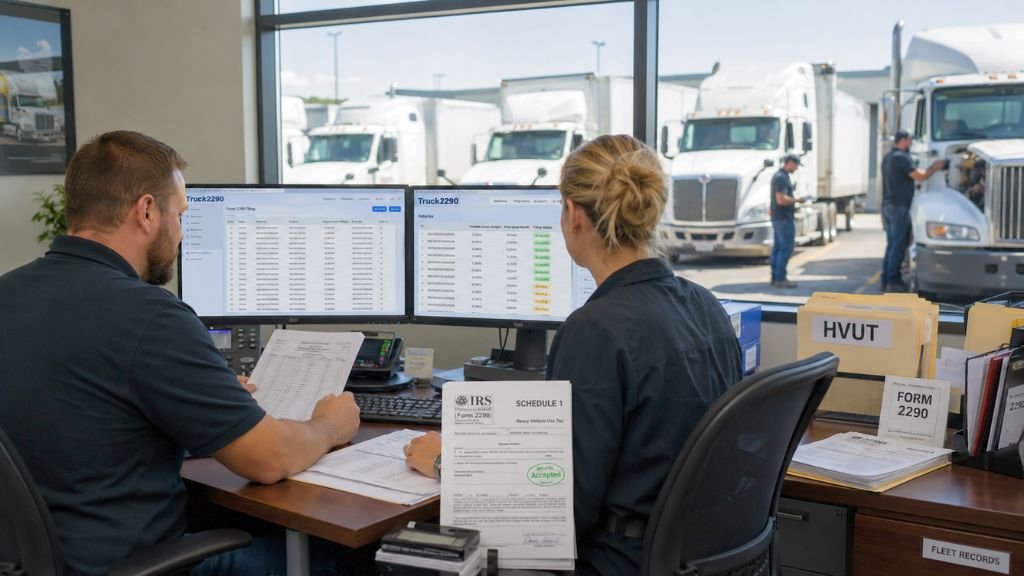
Table of Contents
Why Form 2290 Filing for Multiple Vehicles Requires Good Planning
Managing a large fleet is very different from filing for one or two trucks. As the number of vehicles grows, so does the chance of entering incorrect information.
Each taxable vehicle requires details such as:
- Vehicle Identification Number (VIN)
- Taxable gross weight
- First-use month
- Business information linked to your Employer Identification Number (EIN)
When these records are scattered across different spreadsheets or paper files, preparing Form 2290 becomes more time-consuming. Organizing your fleet information before filing season helps reduce errors and speeds up the entire process.
Keep Fleet Records Updated Throughout the Year
One of the easiest ways to simplify Form 2290 Filing for Multiple Vehicles is to maintain accurate records all year instead of waiting until the filing deadline.
Create one master spreadsheet that includes:
- Employer Identification Number (EIN)
- Vehicle Identification Number (VIN)
- Taxable gross weight
- First-use month
- Previous IRS-stamped Schedule 1, if available
The IRS requires an Employer Identification Number (EIN) for Form 2290 filing. A Social Security Number cannot be used.
Updating your spreadsheet whenever a truck is purchased, sold, or placed into service means most of the preparation is already complete when filing season arrives.
Use Pre-Filing to Reduce Last-Minute Errors
Waiting until the final days before the deadline often leads to rushed filings and avoidable mistakes.
For the 2026-2027 tax period, IRS-authorized e-file providers begin accepting Form 2290 pre-filings on May 1, 2026. Pre-filing allows fleet owners to prepare returns before the IRS officially opens the filing season.
This extra time helps you:
- Verify VINs
- Review taxable gross weight categories
- Check first-use months
- Correct missing information before submission
Instead of rushing through hundreds of vehicle records in August, you can complete most of the work weeks in advance.
Upload Multiple Vehicles Instead of Entering Them One at a Time
Manual entry works for a few trucks. It becomes inefficient when your fleet includes dozens or hundreds of vehicles.
Most IRS-authorized e-file providers support bulk upload for Form 2290 Filing for Multiple Vehicles. Fleet owners can upload vehicle information using a spreadsheet template rather than entering each truck individually.
A typical upload includes:
- VIN
- Taxable gross weight
- First-use month
- Vehicle information
The system imports all eligible records together, making it easier to review information before filing.
Some providers support uploads for thousands of vehicles, making this feature especially valuable for large trucking companies and fleet operators.
Make Sure Every Vehicle Has the Correct First-Use Month
The first-use month is one of the most important details on Form 2290.
It refers to the month when a taxable vehicle is first used on a public highway during the tax period. Every vehicle must be reported according to its own first-use month.
For example:
- Vehicles first used in July generally have a filing deadline of August 31.
- Vehicles first used later in the tax year are reported based on their respective first-use months.
If your company purchases trucks throughout the year, you may need to file additional Form 2290 returns as those vehicles begin operating.
Entering the correct first-use month helps keep Form 2290 Filing for Multiple Vehicles accurate and prevents unnecessary reporting issues.
Let E-Filing Handle the Tax Calculations
Calculating Heavy Vehicle Use Tax manually for a large fleet increases the chance of errors.
IRS-authorized e-file systems automatically calculate the tax based on each vehicle’s taxable gross weight category. This removes manual calculations and helps improve filing accuracy.
After the IRS accepts your return, an IRS-stamped Schedule 1 becomes available electronically. Fleet owners commonly use this document when registering vehicles or meeting other compliance requirements.
Electronic filing is required when filing 25 or more vehicles on Form 2290. Even for smaller fleets, e-filing offers faster processing and fewer manual errors than paper filing.
A Simple Workflow for Form 2290 Filing for Multiple Vehicles
Following the same filing process every year makes annual HVUT compliance much easier.
A practical workflow looks like this:
Step 1: Prepare a master spreadsheet containing your EIN, VIN, taxable gross weight, and first-use month for every taxable vehicle.
Step 2: Upload the spreadsheet during the pre-filing period and review any validation messages.
Step 3: Verify every VIN against registration or title records and confirm taxable gross weight categories.
Step 4: Submit your return once the IRS begins accepting filings for the new tax year.
Step 5: Download and save the IRS-stamped Schedule 1 after the return has been accepted.
Using a consistent process each year reduces repetitive work and helps keep fleet records organized.
Common Mistakes During Form 2290 Filing for Multiple Vehicles
Most filing delays happen because of incorrect vehicle information rather than problems with the filing process itself.
- VIN Errors: Even one incorrect digit in the VIN can result in an IRS rejection. Compare every VIN with your registration records before uploading your file.
- Incorrect Taxable Gross Weight: Selecting the wrong taxable gross weight category can affect the tax calculation for that vehicle.
- Using a Newly Issued EIN: If your business recently received an EIN, allow enough time for the IRS to update its records before filing Form 2290.
- Incorrect First-Use Month: Reporting the wrong first-use month can create filing errors and may require additional corrections later.
Reviewing vehicle information before submission takes far less time than correcting rejected returns.
Example of an Efficient Fleet Filing Process
Imagine a trucking company operating 120 heavy vehicles.
The fleet manager prepares one spreadsheet containing the company’s EIN, every vehicle’s VIN, taxable gross weight, and first-use month. The file is uploaded during the May pre-filing period using Truck2290’s bulk upload feature.
Before submission, the system identifies a few VIN formatting issues. Those records are corrected before the IRS begins accepting returns. Once filing opens, the return is transmitted electronically, and the company receives its IRS-stamped Schedule 1 after the return is accepted.
This process reduces manual entry, improves data accuracy, and saves valuable administrative time.
Conclusion:
Form 2290 Filing for Multiple Vehicles becomes much easier when fleet records are accurate and organized before filing season begins. Maintaining a complete vehicle list, using pre-filing, uploading records in bulk, verifying VINs, and entering the correct first-use month all help reduce delays and improve filing accuracy.
For fleet owners managing multiple heavy vehicles, establishing a consistent annual process for Form 2290 Filing for Multiple Vehicles can save time, reduce paperwork, and make HVUT compliance more manageable every tax season.