

Form 2290 Instructions: File Correctly the First Time
Form 2290 is the IRS return for Heavy Vehicle Use Tax. If you operate a vehicle at 55,000 pounds or more on public highways, you owe it. The annual deadline is August 31 for vehicles first used in July. For mid-year vehicles, you have until the last day of the month after the vehicle’s first use month.
That is all the basics you need. Every other detail on this page is about doing the filing right, avoiding rejections, and handling situations that trip up even experienced filers.
Starting at just $7.99 per truck.
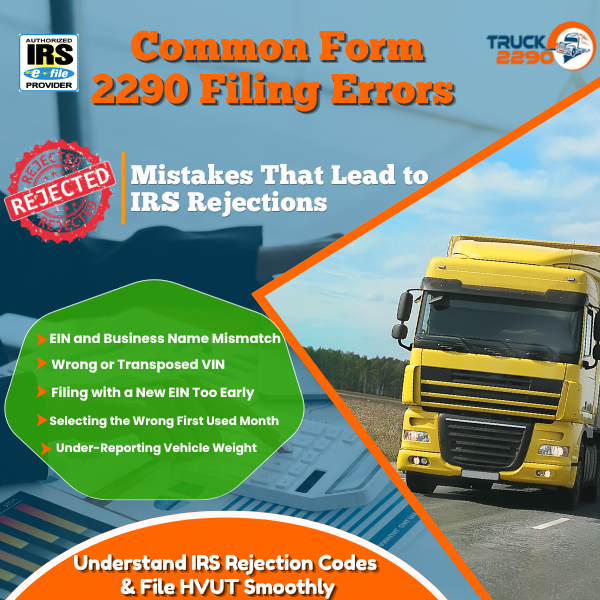
Common Form 2290 Filing Errors That Cause Rejections
These are the mistakes that generate IRS rejection codes. Knowing them in advance costs you nothing. Finding out after your deadline has passed costs you a penalty.
EIN and Business Name Mismatch
This is the single most common rejection reason. The name on your Form 2290 must match the name associated with your EIN in IRS records exactly. Abbreviations, punctuation differences, and missing suffixes like “Inc” or “LLC” all cause rejections.
If you are not certain how your name is registered, log in to the IRS Business Tax Account portal to verify before filing. Do not guess.
Wrong or Transposed VIN
The IRS validates VIN format but does not cross-reference VIN against a vehicle database at the time of acceptance. Your return may be accepted with a wrong VIN, and you will not know until your Schedule 1 is rejected at the DMV.
Check every VIN against the physical vehicle or its title document. Common errors include confusing the letter O with the number 0, and the letter I with the number 1.
Filing with a New EIN Too Early
A newly issued EIN is not immediately available in IRS e-file systems. Returns filed before the EIN activates are rejected automatically. Wait at least two weeks after receiving a new EIN before filing.
Selecting the Wrong First Used Month
The first used month determines your filing deadline and affects pro-rated tax calculations for mid-year vehicles. If your vehicle was first used in October but you select September, you are filing an incorrect return. The IRS compares first used month against registration data. Mismatches can trigger follow-up.
Under-Reporting Vehicle Weight
Filing at a lower weight category to reduce the tax owed is an under-reporting error. If the vehicle is later found to operate at a higher weight, the difference in tax plus penalties and interest becomes due. When you are unsure between two weight categories, always select the higher one and file an amended return later if warranted, not the reverse.
How the E-File Process Actually Works
Most guides tell you what to file. This one tells you what happens at each step so nothing surprises you.

Step 1 –Create Your Account and Enter Business Details
Your legal business name must match your EIN registration exactly, character for character. If your EIN is registered as “Smith Trucking LLC” and you type “Smith Trucking,” the IRS will reject it. Pull your EIN confirmation letter before you start if there is any doubt about how your name is registered.
New EINs take up to two weeks to activate in IRS e-file systems. If you just applied for an EIN, wait before filing. Submitting too early guarantees a rejection.

Step 2 — Enter Vehicle and Weight Information
Enter each VIN manually or upload a bulk list for fleets. The system validates VIN format, but it cannot catch a transposition error where two digits are flipped. Double-check every VIN yourself before submitting.
Select the taxable gross weight category for each vehicle. This is the maximum loaded weight, not the vehicle’s empty weight or its typical operating weight. When in doubt, go with the higher weight category. Filing at a lower weight than actual is an under-reporting error that requires an amended return and may trigger a penalty.
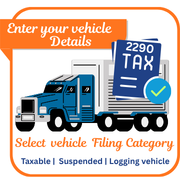
Step 3 — Select Filing Category for Each Vehicle
Every vehicle on the return falls into one of three categories:
Taxable: Expected to exceed 5,000 miles (7,500 for agricultural vehicles) during the tax period. Tax is owed.
Suspended: Expected to stay at or below the mileage threshold. Tax is $0, but the vehicle must still be reported.
Logging vehicle: Exclusively used for transporting timber. Different mileage threshold applies.
Do not skip suspended vehicles. The IRS requires all qualifying vehicles to be reported regardless of whether tax is owed. Missing a suspended vehicle from your return is an omission, not a shortcut.
Step 4 — Review the Tax Calculation
Before you submit, the system shows the total tax due. Verify the amount makes sense for the number of vehicles and weight categories you entered. A $550 line item means a vehicle was filed at 75,000 pounds or above. A $100 line item means 55,000 to 56,999 pounds. If any number looks off, go back and check the weight category on that vehicle.
Step 5 — Choose Your Payment Method
Two IRS-accepted payment options are available through e-file:
- Electronic Funds Withdrawal (EFW): Payment is debited from your bank account when the return is accepted. Requires your routing and account number at the time of filing.
- EFTPS: You schedule payment separately through your EFTPS account. Filing and payment are decoupled. Use this if you need more control over the payment timing.
Your return is submitted regardless of which payment method you choose. But tax not paid by the deadline accrues a 0.5% monthly penalty on the unpaid balance plus interest.

Step 6 — IRS Processing and Schedule 1 Delivery
After submission, the IRS processes e-filed returns, typically within minutes during IRS business hours. You receive two emails: one confirming submission and one confirming IRS acceptance with your stamped Schedule 1 attached.
If the return is rejected, you receive an error code explaining why. Common rejection codes are covered in the next section. A rejected return is not a filed return. The deadline clock keeps running until the IRS accepts it.
Special Cases and Edge Case Instructions
Standard filing covers most situations. These cases require a different approach.
Mid-Year Vehicle Additions
Vehicles purchased or first placed in service after July do not wait until the next annual filing cycle. You file a separate Form 2290 for each first used month. The tax is pro-rated based on the number of months remaining in the tax period.
A vehicle first used in November owes tax for 8 months: November through June. The pro-rated amount is calculated automatically when you select the correct first used month. Do not backdate a mid-year vehicle to July to simplify the filing. That is an incorrect return.
VIN Correction Returns
If the IRS accepted your return with a wrong VIN, you need to file a VIN correction. A VIN correction is not a full amended return. It is a separate filing that identifies the incorrect VIN and replaces it with the correct one. No additional tax is owed on a VIN correction unless the weight category also changes.
File a VIN correction as soon as you discover the error. Your Schedule 1 with the wrong VIN is not valid proof of payment for DMV registration purposes.
Suspended Vehicle Filings
Suspended vehicles owe $0 in tax but must be included on Form 2290. You declare them as suspended at the time of filing based on your expected mileage for the tax period.
If a suspended vehicle later exceeds the 5,000-mile threshold, you must file an amended return for that vehicle and pay the full tax for the period. The amended return is due by the last day of the month following the month the vehicle exceeded the threshold.
Keep mileage records for every suspended vehicle throughout the year. If the IRS questions a suspension claim, your records are your defense.
Amended Returns for Weight Increases
If a vehicle’s taxable gross weight increases after you filed, you owe the difference in tax for the remaining months in the tax period. File an amended return, select the correct new weight category, and pay the additional amount. Do not wait until next year’s filing to correct it.
What to Do If Your Return Is Rejected
A rejection is not a penalty. It is the IRS telling you something needs to be fixed before the return can be accepted. Act immediately.
- Read the rejection error code. Each code identifies the specific problem.
- Fix only what the code identifies. Do not re-enter the entire return from scratch unless the error requires it.
- Resubmit the corrected return.
If the original deadline has already passed by the time you resubmit, the late filing penalty applies from the original deadline date. A rejection does not stop the clock.
Common rejection codes and their fixes:
| Error Code | Cause | Fix |
| R0000-902-01 | EIN not found or not yet active | Verify EIN is correct; wait if newly issued |
| F2290-001 | Business name does not match EIN records | Match name exactly to IRS EIN registration |
| F2290-VIN | VIN format invalid | Correct VIN character count and format |
| F2290-DUP | Duplicate filing for same VIN and period | Check if return was already accepted |
File It Right the First Time at Truck2290.com
Rejections, VIN errors, and missed edge cases all come down to one thing: filing without knowing the details in advance. Now you do.
Truck2290.com is an IRS-authorized e-file provider. File a single vehicle or an entire fleet, handle mid-year additions, VIN corrections, and amended returns, all in one place.